Blog

BizTalk, Presentation, TechDaysSE

TechDays 2012–The Microsoft Integration Story

At TechDays 2012 in Sweden we did a presentation called “The Microsoft Integration Strategy” (or Story), something that we have done in variations for BizTalk User Group Sweden and other events.

I am delighted to have gotten back the review which puts the session in the top 10 sessions (7th). Glad you liked it. The presentation slides are here (as a pdf). I’ll be happy to share the pptx if you want it, just ask (It keeps me up to date with other interesting presenters and events). The video should be available shortly (in Swedish though). The video is available here.

Microsoft Integration Story

Licensing

How the per-core licensing model will (by my guess) affect how we build BizTalk environments today

SQL Server 2012 comes with a new licensing model. Instead of per processor socket you will pay per core. Licenses are sold in two core packs with a minimum of four core licenses needed per physical processor (even if that processor only has two cores). The price per core is about one quarter (1/4) of the price per processor today. This means that the price for anything but quad core processor architectures will either go up, in the case of hexa core processors, or will give you less value then what you are paying for, in the case of dual core processors.

As far as how you would design your environments to keep the value without increasing the cost that means going with quad core as far as possible instead of for example hexa core. Especially if you are not sure you need that extra bit of processing power.

Although this change is explicitly announced for SQL Server and so far does not extend to BizTalk Server, the way the development of processors is and has been moving over the last couple of years it stands to reason that this may very well be (and by my guess will be) extended to other products in the future. The change is inevitable.

Therefore, today I would opt for quad core processors over hexa core if I use physical servers, in both SQL and BizTalk, to get a smooth transition to new licensing models.

Or at the very least, think twice before you go on old preferences and choose as many cores as possible just to get the most value out of the current licensing model.

Virtualization stays pretty much the same, that is, either pay for the virtual cores or for the physical cores (under the same rules as stated above).

At this point in time this is not new information. For licensing technicians this is a well known fact, but for other technicians or architects, this information might not have surfaced yet.

HTH,
/Johan

BAM, BizTalk, Installation

BizTalk Server and named SQL Server Analysis Services instances

The documentation for BizTalk Server 200X is very clear, and has been since BizTalk Server 2006. See the 2010 versions of technet wiki and download. It states:

Named instances of SQL Server 200X Analysis Services are not supported

But why is that? I set out to investigate if I could find a reason for it still being true.

Examining the history

In the beginning, there was a limitation with SQL Server 2000 Analysis Services (SSAS). It was not instance or cluster aware (much like SSIS today). Some time later with the help of service packs (if I can recall and use my search engine correctly) SSAS became cluster aware, but only supported running on the default instance. Thus the requirements and the reason that was true with BizTalk Server 2006 is crystal – due to the support of the underlying technology, namely SQL Server 2000, named instance of Analysis Service was not supported.

Present

I later versions of SQL Server, and the latest of SQL Server 2008 R2 specifically, there is no such limitation. Analysis Services is both cluster and instance aware and can be installed in a named instance. So the underlying limitation just isn’t there. But what about BizTalk? Does it have some built in limitation to how it uses Analysis Services that doesn’t allow working against a named instance?

The scenario

Two BizTalk Server Group installations – connected to their respective database instance – side-by-side. Both SQL Server instances has the database, agent and analysis services services installed. In the default instance I have a BizTalk Server Group configured with BAM tracking and Analysis, and a deployed activity and view when we start our journey. For the named instance I wanted to configure the same thing to see that there were no issue with

  • running Analysis Service in a named instance, and
  • running it side by side with the default instance and its Analysis Services on the same SQL Server machine.

Configuring BizTalk Server against a named instance of SQL Server 2008 R2 Analysis Services

First configuring the feature using BizTalk Server Configuration.
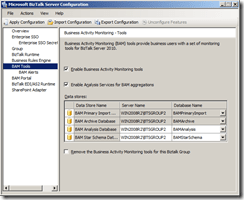
BTS2_BAM_config_seperateAS_2

Then applying the configuration and view the result.
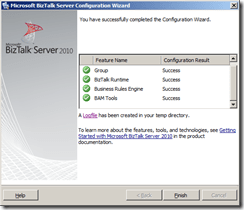
BTS2_BAM_config_seperateAS_2_configDone

No issues.

Deploy BAM activities and views

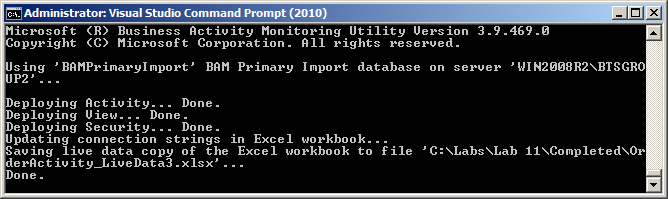
Using bm.exe to deploy my BAM activity and view to my named instance.
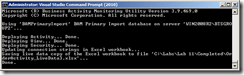
BTS2_BAM_config_seperateAS_2_deployOK

No issues.

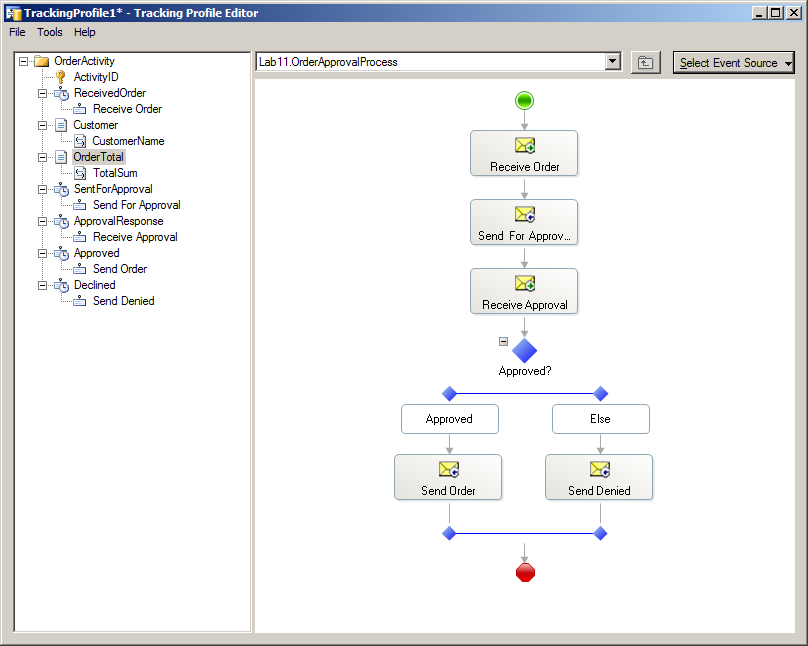
Using Tracking Profile Editor to connect my activity to an orchestration.
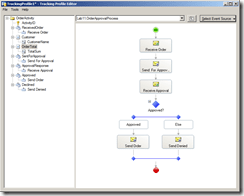
BTS2_BAM_config_seperateAS_btt

No issues.

Running some data through the integration

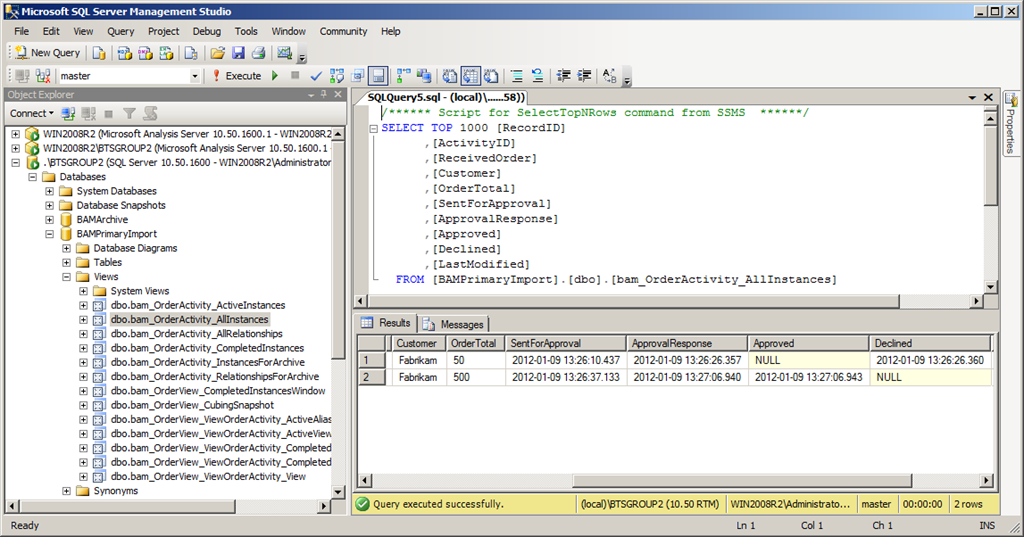
BizTalk Server behaves as expected. After running some sample data through the integration I could open my BAMPrimaryImportDb and run a Select against it to view my data.
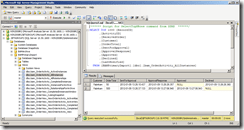
BTS2_BAM_config_seperateAS_Select

Running my BAM_AN_<View> SSIS package

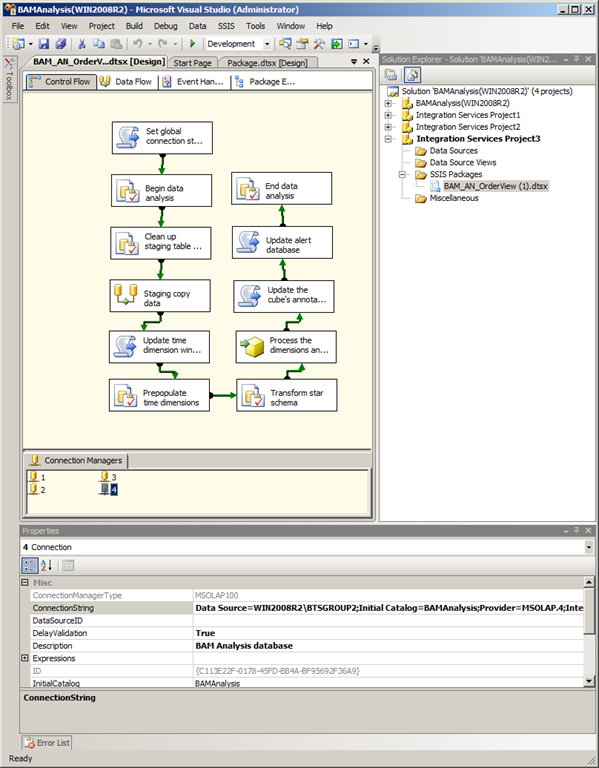
This was one of my prime candidates beforehand of where it could possibly go wrong. However as I used Business Intelligence Development Studio to inspect the package I could see that it was configured with datasources for the databases that it worked with, including the Analysis Services database, and it clearly points to the correct configured instance.
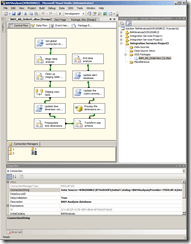
BTS2_BAM_config_seperateAS_BIstudio_BAM_AN_OrderView

Running it caused no incidents that I could detect. After having run the package and processed the cube I was ready to look at the data in the cube to see if it got there as expected.

Viewing the Live Workbook

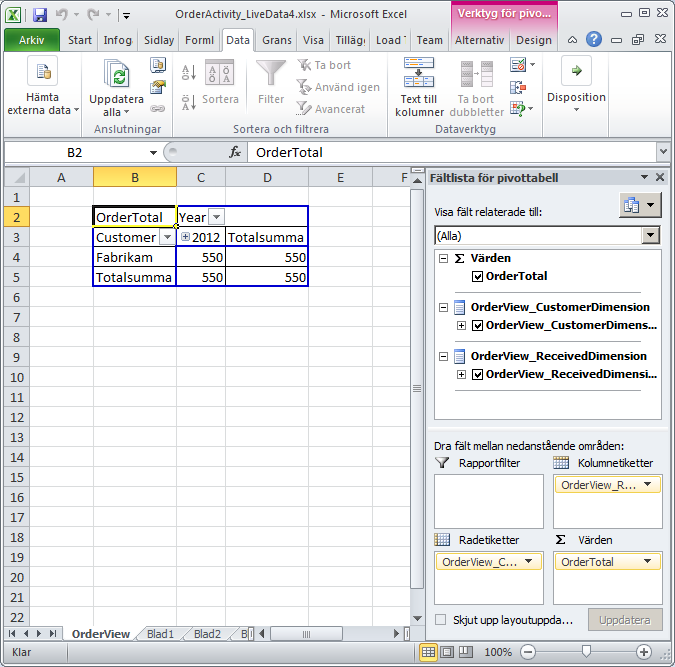
The first thing to check was the live workbook (useless as I find this feature I wanted to see if it could read the data as expected).
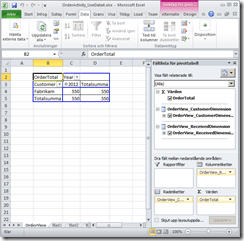
BTS2_BAM_config_seperateAS_ExcelLiveWoorkbook

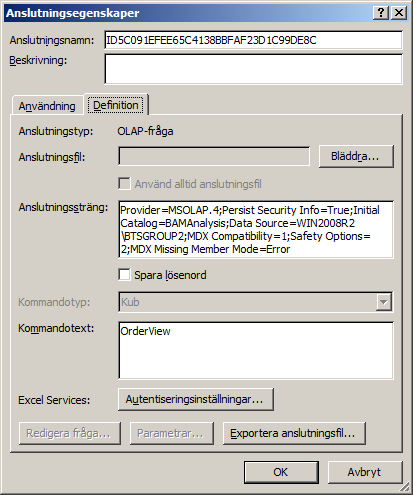
It could. And again, if we view the data connection properties here it point to my named instance.
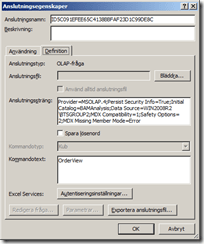
BTS2_BAM_config_seperateAS_ExcelLiveWoorkbook_ConnectionProperties

(sorry about the swedish locale here, but you get the point)

Viewing data in the BAM portal

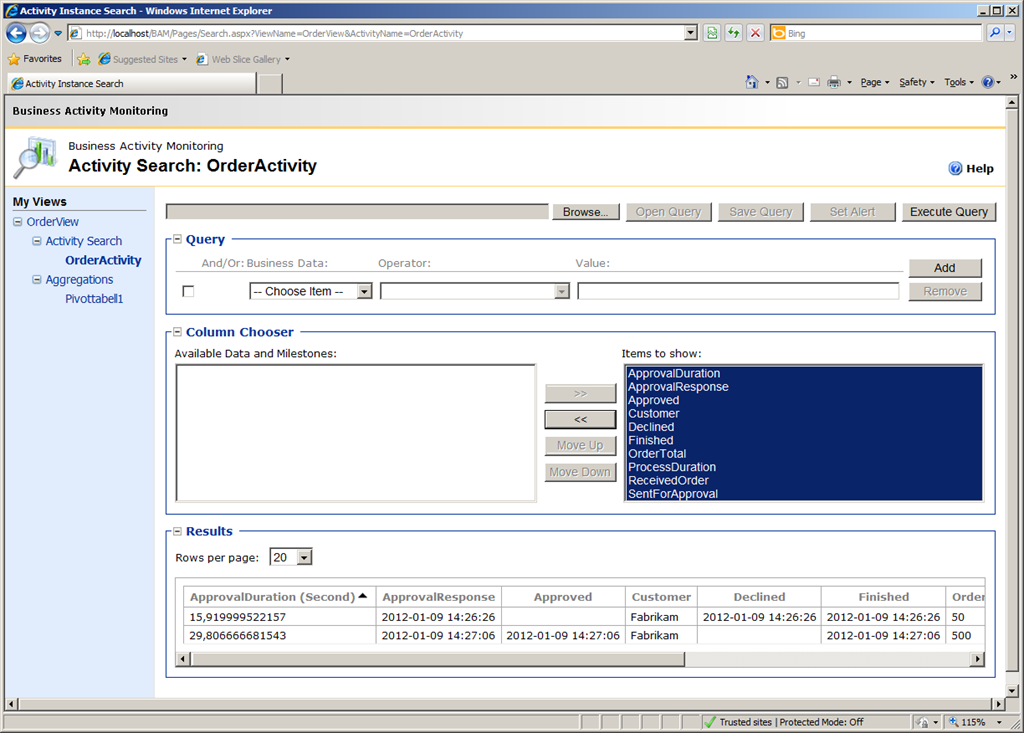
Next up, what about the BAM portal – would it be able to understand the named instance of SSAS and retrieve my data?
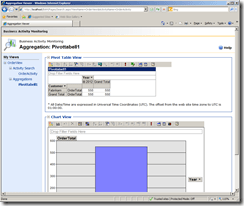
BTS2_BAM_config_seperateAS_BAMPortalView BTS2_BAM_config_seperateAS_BAMPortalActivitySearch

Yes. Both the Activity Search and the Aggregations show the data expected.

Conclusion

I can find no reason why SQL Server 2008 R2 Analysis Service cannot be used on a named instance with BizTalk Server 2010. Granted, this was just a small test and I certainly haven’t investigated this through every aspect (as per the usual disclaimer), but it “Works on my Machine”.

Do you know a reason that this will not work? Are you running this configuration yourself and can confirm further that it does work? Let me know…

HTH
/Johan
BizTalk, Licensing, Maintenance

Why BizTalk Server 2010 R2 should be BizTalk Server 2013

That BizTalk Server 2010 will have a successor and that the working title of that release is BizTalk Server 2010 R2 was announced at the BizTalk Server team blog in december 2011 and re-announced by folks like Kent Weare, Charles Young, Saravana Kumar, Steef-Jan Wiggers among others.

What some of them hints at but doesn’t discuss further is that the version naming “2010 R2” might not stick. There are good grounds for such guesses. Historically BizTalk Server 2009 was initially called BizTalk Server 2006 R3 before the renaming was announced and BizTalk Server 2010 was called BizTalk Server 2009 R2 when first announced before it too was renamed.

One might argue that the R2 is a good suffix in this release since it is a minor release, without an abundance of new functionality. That’s true.

One might argue that there is only so much to a name, the important thing is that Microsoft is showing that it will continue to maintain and carefully evolve the product. Not so I say.

There is one very important thing that goes into that name that should not be overlooked or underestimated – the support lifecycle. Microsoft’s support lifecycle policy says that products will have 5+5 (mainstream+extended) support. However, that applies to major versions. An excerpt:

“Minor releases follow the same Support Lifecycle as the major product release.

An example of this is Windows Server 2003 R2 which has the same Mainstream Support phase and Extended Support phase dates as the parent product, Windows Server 2003. Likewise, Windows Server 2008 R2 follows the same Support Lifecycle dates as the initial release of Windows Server 2008″

If the product will be BizTalk Server 2010 R2 (and assuming it will follow the general rule), it will not get an extended support lifecycle end date. Except for what is stated in the general policy you can see examples of this scheme throughout the product chain. BizTalk Server 2006 and 2006 R2 are the closest examples, but also Windows Server 2008 and 2008 R2, and SQL Server 2008 and 2008 R2 both follow suit. In all these cases the R2 version does not start a new 5+5 year period. Where as with BizTalk Server 2006 R2 to BizTalk Server 2009 and again to BizTalk Server 2010, we got new lifecycle support dates.

One of the major asks around BizTalk Server before the announcement was for Microsoft to clearly show its continued support for BizTalk Server as a product – they did that, but here is hoping that they will strengthen that statement further by giving us a BizTalk Server 2013 (or 2012).

HTH
/Johan

BizTalk, Performance

The rogue agent that brought BizTalk to its knees

To help others that might find themselves in a similar situation I am posting this odd experience we had with a BizTalk environment during the fall of 2011.

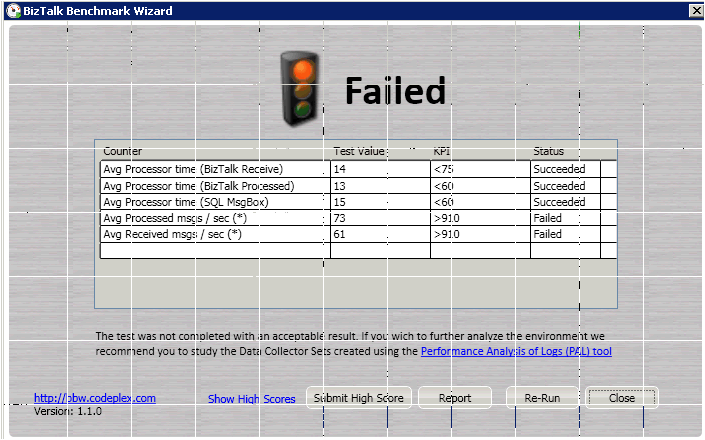
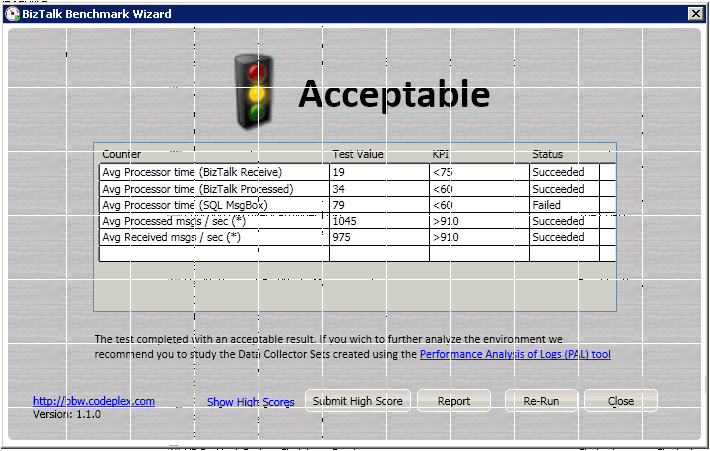
We had a pretty standard setup with good hardware to back it up all the way, set up after best practices. We were using the BizTalk Benchmark Wizard (BBW) to benchmark our environment and were comming up short at around 70 msg/s.

We should have had values that were around 900 msg/s. Overall, from scrutinizing the performance logs using Performance Analysis of Logs (PAL) as well as our own best judgement, we at first couldn’t find anything alarming. Processor, Memory, disk, network etc. All good. We also ran things like the BizTalk Best Practice Analyzer (BizTalk BPA), the MessageBoxViewer tool (MBV), the Monitor BizTalk Server SQL Server Agent job, but it all came back looking good. The environment just seemed… slow.

As it turns out the processor was especially interesting knowing what turned out to be the final finding. The processors (two of them per server each of them with 6 cores per processor) was on an average very low, but as it turns out there was one process that was taking the equivalent of 1 full core of power (its Process % Processor time was at 100), but since it didn’t stay on one core it was hard to spot the problem. PAL doesn’t have an alert for this, and finding the one process and performance counter among all of them is not so easy.

The process was the “HP Insight Server Agents” (cqmgserv.exe). The theory goes that as it was failing, recovering and retrying it was pumping the machine full of events and clogging up the underlying bus.

The closest we got to a match in the form of a support document from HP was this. Once the service was disabled the tests ran as expected att around 1000 msg/s. Later the service was updated to a newer version and started again without causing the same issues.


The purpose of this post is not to lay the blame on HP’s door but instead to enlighten readers that similar situations can occur and to highlight the value of a tool like BBW, since without it this exception would have likely never got caught and this server would have gone into production delivering much less value on the investment than it should.

HTH
/Johan