BizTalk, Configuration, Installation

(Not) Using Built-in Service Accounts for BizTalk Server

Recently I tried installing BizTalk Server 2010 in a pretty locked down environment – as in no accounts except a few domain accounts were given the “log on as a service” right. Thus as a first go I was left trying to use the default accounts on the machine.

These are my short summarized findings trying to run BizTalk using built-in accounts:

  • SQL Server – Can run as Local System or Network Service. NOT as Local Service.
  • SQL Server Agent – Can run as Local System or Network Service. NOT as Local Service.
  • For more SQL Server account info see this link.
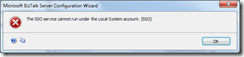
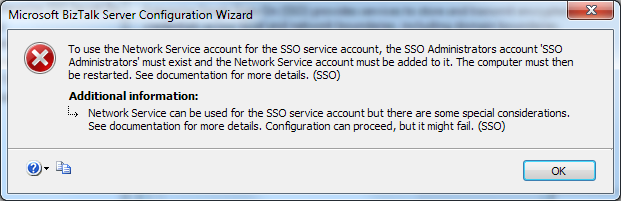
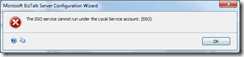
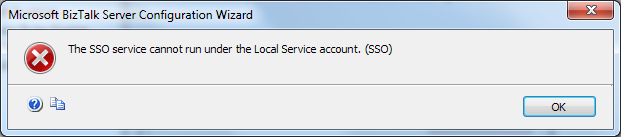
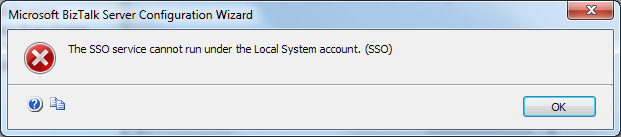
  • The SSO service – can NOT run as Local Service or as Local System.
    imageimage
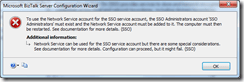
    It can run as Network Service, although there are some special requirements – namely: the SSO Administrators group must be pre-created, the Network Service account added to it and the computer restarted.
    image
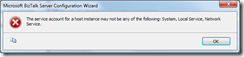
  • BizTalk Server Runtime – Can NOT run as a any form of local built-in account.
    image
  • At this point I guess I could have gone on to try the other sub-services as well, like BRE, but why bother… Lesson learned. You cannot configure BizTalk Server using only the built-in accounts. Also this link from the BizTalk documentation clearly states that these accounts are not supported, though it is non-specific.
Quoted info on what these built-in accounts mean:

Local Service Account

The Local Service account is a built-in account that has the same level of access to resources and objects as members of the Users group. This limited access helps safeguard the system if individual services or processes are compromised. Services that run as the Local Service account access network resources as a null session without credentials. Be aware that the Local Service account is not supported for the SQL Server or SQL Server Agent services. The actual name of the account is "NT AUTHORITYLOCAL SERVICE".

Network Service Account

The Network Service account is a built-in account that has more access to resources and objects than members of the Users group. Services that run as the Network Service account access network resources by using the credentials of the computer account. The actual name of the account is "NT AUTHORITYNETWORK SERVICE".

Local System Account

Local System is a very high-privileged built-in account. It has extensive privileges on the local system and acts as the computer on the network. The actual name of the account is "NT AUTHORITYSYSTEM".

BizTalk, Development, General

Cross Reference notes

This isn’t a really deep how-to technical post, it’s more in the way of “note to self”.

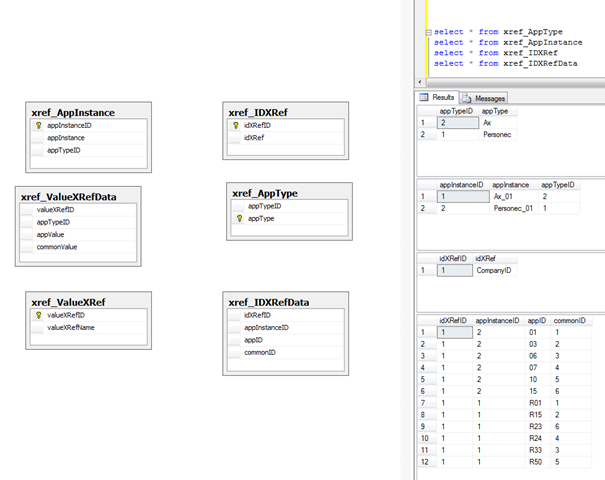
Sample Database Diagram (relations do not actually exist in BizTalkMgmtDb, I added them for visualization).

image 

Sample Cross-Reference Files.

image 

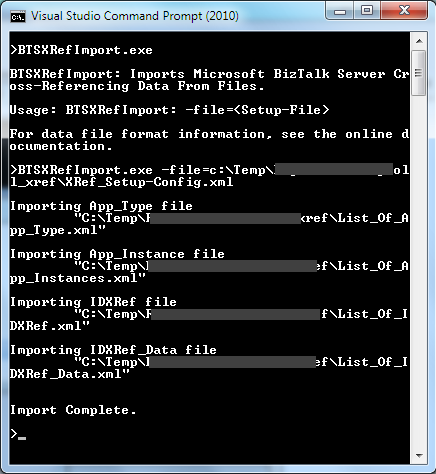
Firing the BTSXRefImport tool

image

Actual tables in BizTalkMgmtDb and sample data selected from xref tables in general and IDXRef in particular.

image

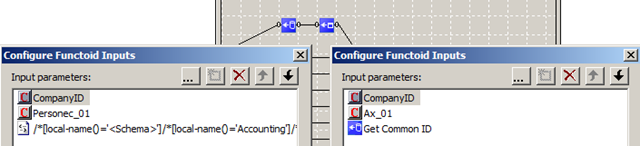
Actual usage of cross reference id functoids

image

Links for BizTalk Cross Reference

BizTalk, Configuration

My BizTalk infrastructure design baseline

How should I design my environment? What OS version? SQL Edition? BizTalk license? Etc. Etc. I get these questions frequently.

The only one true answer to this question is the architects favorite – “it depends”. And once you know the requirements – some of the things on which it depends – it will still be closely followed by its companion: “We need to test to know”.

Still, I think everyone has their favorite configuration – that they then add or deduct from based on the requirements. I do. This is how it goes.

Servers

Four. Two SQL, Two BizTalk.
Why? High availability for SQL and BizTalk. Load balancing on BizTalk machines.

OS

Windows Server 2008 (R2) Enterprise, on all machines.
Why? Clustering. Plain and simple.

SQL Edition

SQL Server 2008 (R2) Standard, on the SQL boxes.
Why? Off the BizTalk environments I have worked with they have only very seldom gone beyond two machines which is the only real limitation with Standard that I care about. I know of limitations to RTA in BAM and of performance gains with Enterprise, and sometimes that may be required – but not as a baseline.

SQL Instances

Four SQL Server Instances: BizTalkMgmt, DTA, BAM, MsgBox.
Why? Prepare for and maximize scale-out possibility. Simplify IO division. Help with memory reservation.

SQL IO

Three disks per instance: Data, Log and TempDb. Baseline is 40, 20, 15 GB. Varies with requirements.
SAN if available.
Why? Disks are un-expensive. IO is core to SQL. SQL is core to BizTalk.

BizTalk Edition

BizTalk Server 2009/2010 Enterprise
Why? Number one reason – you want to be able to go beyond a single server: Because you want load balancing and high availability.

Virtualization

Not in my baseline.
Why? Could be a requirement with certain customers and it certainly works, but I would recommend physical machines because I think it gives more bang for the buck. BizTalk can many times be a processor, memory and IO intensive application.

Processor

Quad cores for sure, Hexa or Octo if availability permits. One proc per server is enough with this amount of cores as a baseline. Requirements like high throughput messaging and processing may cause it to rise.
Why? Same as above. Higher ROI with multi-core.

Memory

4 GB minimum for a 64-bit OS, preferably 8GB or more total memory on BizTalk Servers.
At least 16GB on the SQL machines.
Why? Memory is a cheap commodity right now. Not the right place to be cheap.

Summary

The above is in no way thorough. It wasn’t meant to be. There is no “One Truth”. I stress that I call it a Baseline. It was meant to be a brief overview. It’s based on the most common questions and the most common requirements for my customers. Consider your own requirements. Mine might not match yours. “It depends”…

Input

What’s your baseline? Where does it differ? Where have you drawn the same conclusions?

BizTalk, Presentation, Usergroup

BizTalk, OpsMgr and Triathlon – What have they got in common?

Canadian BizTalk MVP Kent Weare.

At the 26th of august the BizTalk User Group Sweden had Kent over to deliver two sessions around System Center Operations Manager and its Management Pack for BizTalk Server. The sessions were separated by a networking and food pause and delivered to a group of around 75 people. Together with Johan Hedberg (me!) and 35 others he also completed the Stockholm Triathlon participating in the Microsoft SQL Server Fast Track Team (newspaper slideshow (in swedish) here: http://it24.idg.se/2.2275/1.337297/blott-och-svettigt-for-microsoft) (Named persons not featured). Url of user group event is here. Blog post by Kent is here. Presentation slides can also be found at the BizTalk User Group Sweden site (look in the lower right corner area).

IMG_2264

Administration, BizTalk, Tracking

How-to: Easily examine the incoming message using tracking

I got a question the other day, and thought I’d post a very short how-to. The problem the questioner had was this: They encountered a situation where they wanted to view the incoming document before BizTalk has begun processing it – the sending party “hadn’t changed anything” yet all of a sudden the message was failing in BizTalk. How can this easily be available?

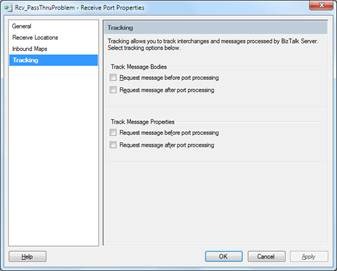
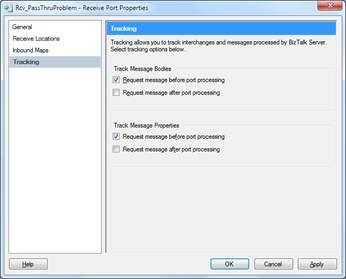
By default, when you look at a ports Tracking tab, no box is checked.

clip_image001

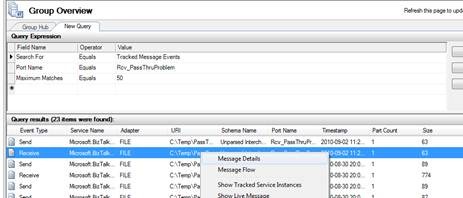
If you try and look at the message details of such a message

clip_image002

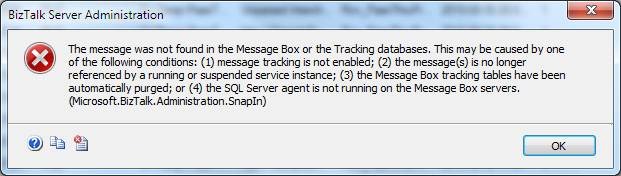
you will get an error dialogue.

clip_image004

However if I return to my port and check some of those check boxes for tracking, in this case “Request message before port processing”

clip_image005

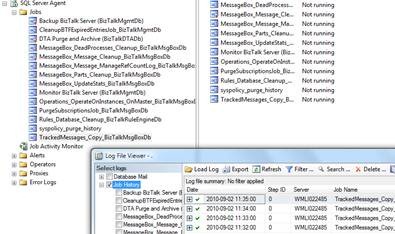
make sure that the SQL job TrackedMessages_Copy_BizTalkMessageBoxDb is running as it should (which by default is enabled and running)

clip_image006

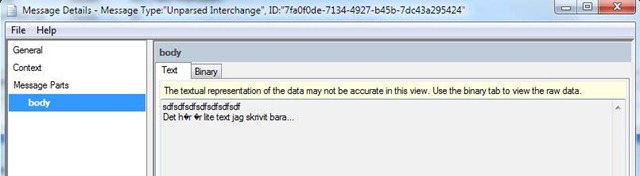
Now if I send in another message and try to look at its Message Details I get a dialogue containing the details I am after, including the content of the message

clip_image008

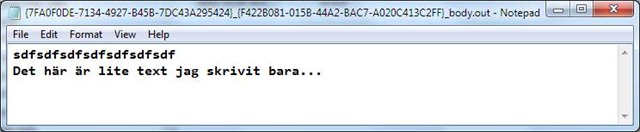
As expected this dialogue may not show some characters correctly, but you can easily go to File… Save Message.

This will create two files, one which is the context properties, and the other the message.

clip_image010

The message will stay in the database as long as configured in the database job DTA Purge and Archive (BizTalkDTADb). Live means the the ServiceInstance exists (ie suspended) and Hard that it is no longer in BizTalk.